Image Compression Formats
Supported Formats
Zipic currently supports JPEG, PNG (including APNG animated images), WebP, HEIC, AVIF, TIFF, ICNS, SVG, PDF, and JPEG-XL (JXL). Future updates will include more formats.
Conversion Formats
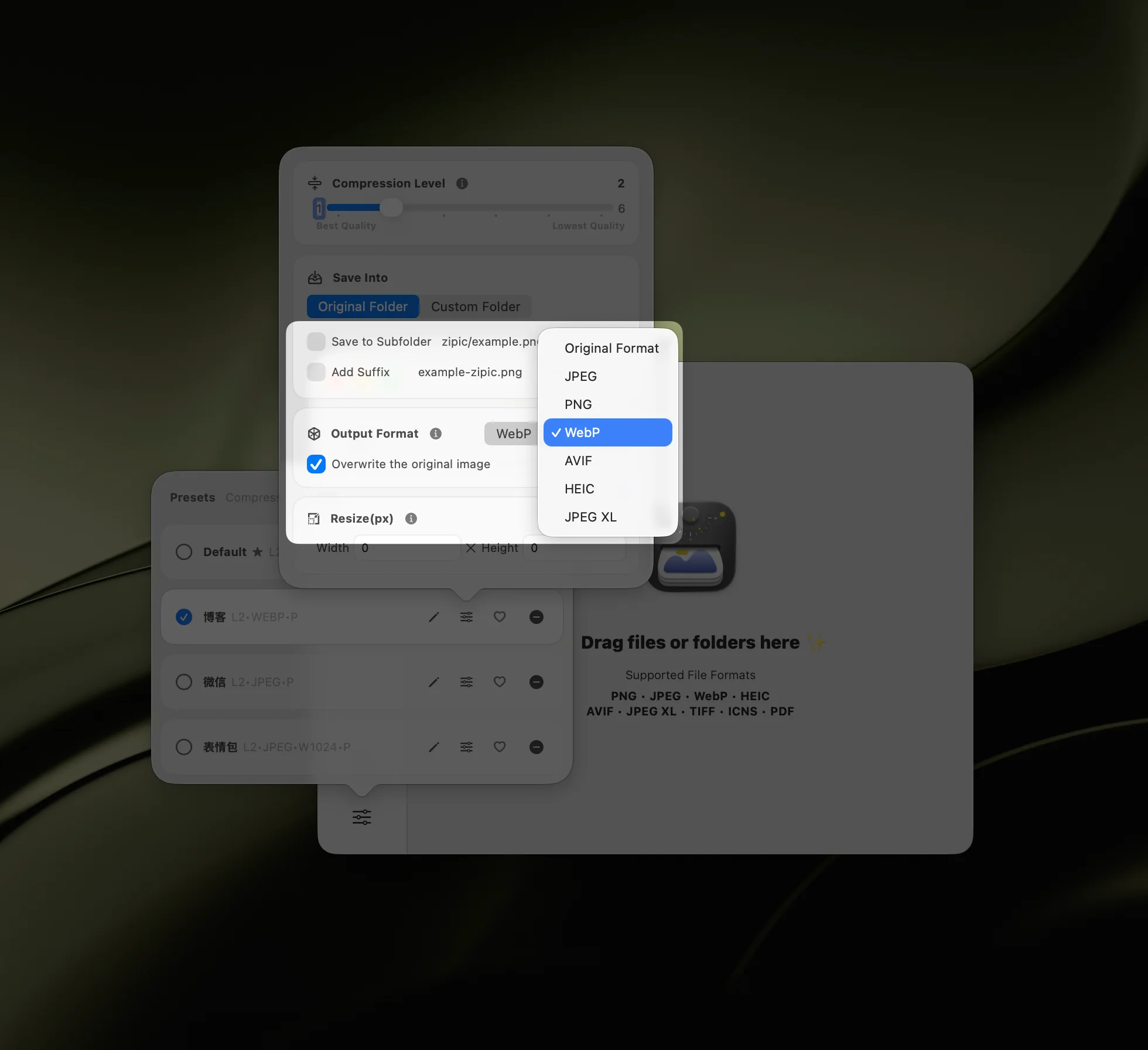
As an image compression tool, Zipic focuses on converting images to smaller, more efficient formats rather than supporting every format. Currently, it can convert images to JPEG, WebP, PNG, AVIF, HEIC, and JPEG-XL (JXL).
You can select the conversion format in the Compression Options window or in the Settings.
Example Workflow
Once you’ve selected the target format, you can begin compression. Format conversion is part of the compression process, allowing you to batch process multiple images.
The compression log will display the target format, making it easy to identify conversions.
SVG Compression Pro
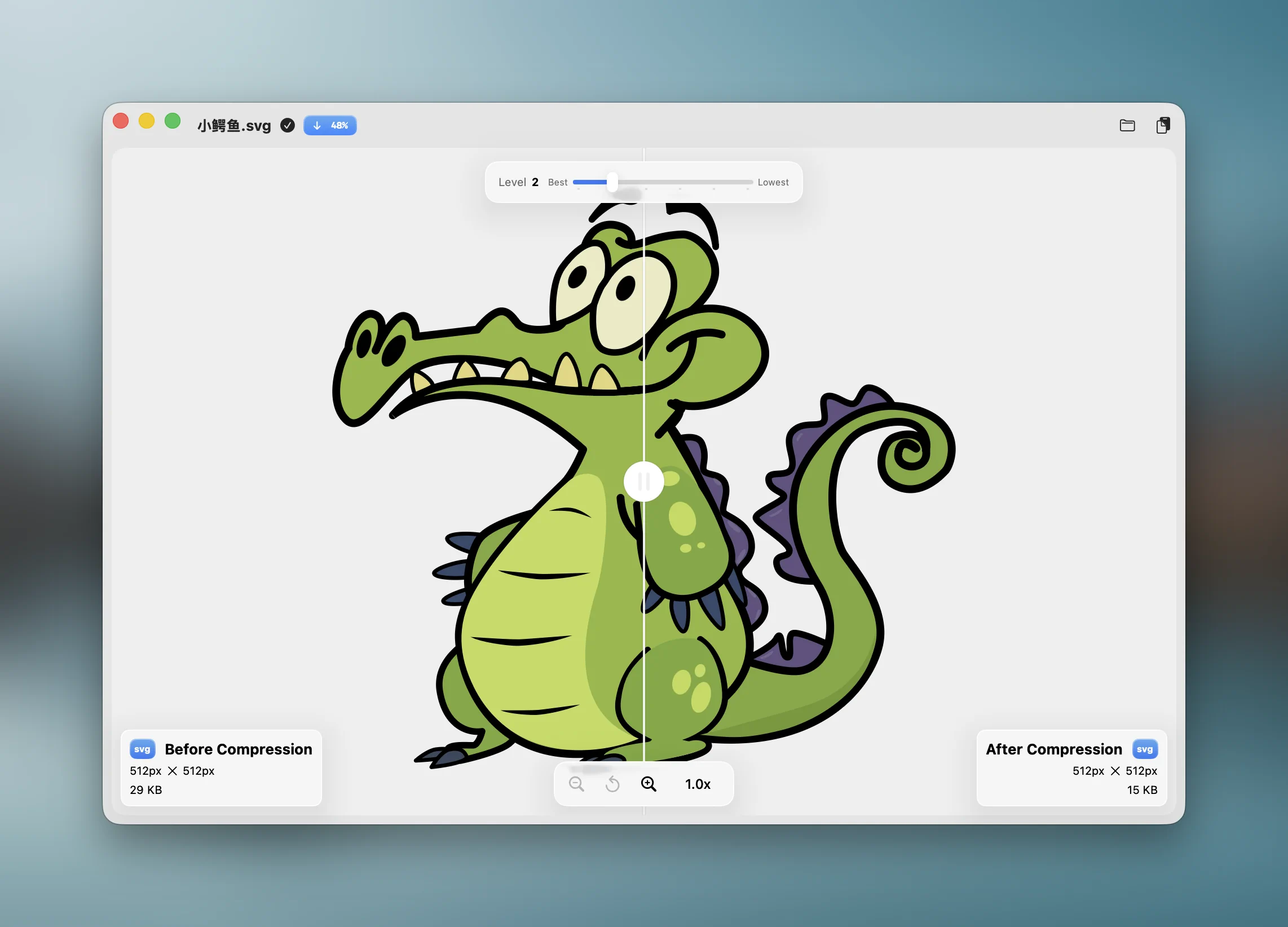
Zipic supports optimizing SVG (Scalable Vector Graphics) files with 6 compression levels, ranging from conservative to maximum optimization. SVG compression removes unnecessary metadata, comments, and redundant attributes to reduce file size while preserving the visual output.
The comparison preview for SVG files renders them as live vectors, allowing you to accurately inspect the visual fidelity of the compressed SVG at any zoom level.
SVG Compression Demo
APNG Compression Pro
Zipic supports compressing APNG (Animated PNG) files. APNG is an extension of the PNG format that supports animation, offering better quality than GIF with full alpha transparency. Zipic can reduce APNG file sizes while preserving animation frames and visual quality.
Enhanced PDF Compression Pro
Zipic 1.9.0 introduces a new Ghostscript-based PDF compression engine that delivers dramatically better results through font and content stream optimization. Encrypted PDFs are automatically detected and a friendly prompt is displayed.